RemoteSpacer
A fixed-width spacer, or a weighted one that pushes the next child to the end.
Open the live, interactive demo →
Change its controls, read the remote document it produces and the diff after every change.
What it is
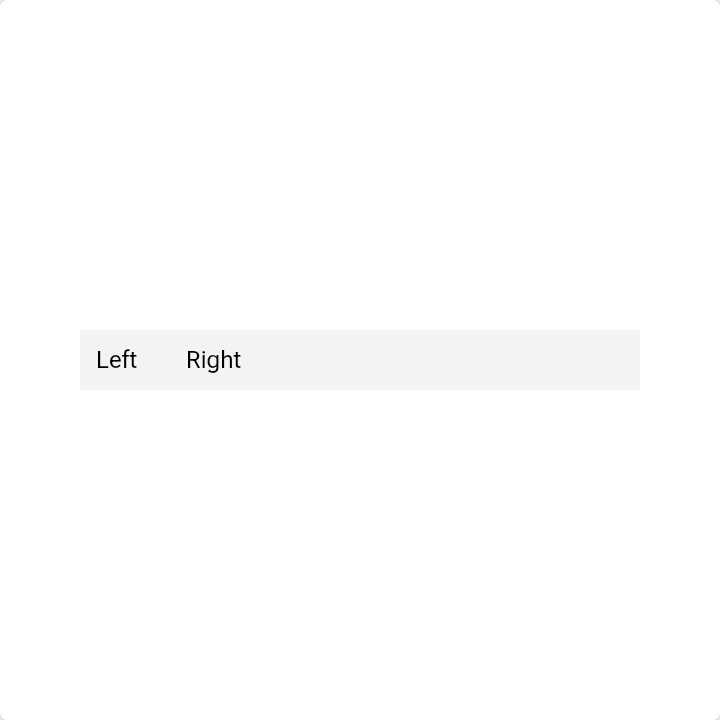
An invisible gap. A fixed spacer adds a set distance; a flexible one pushes the next item to the far end.
Good for
- Pushing a button to the right edge
- Adding breathing room between two blocks
Code
The story's source with androidx.compose.remote imports. CI compiles every snippet on this site against AndroidX.
import androidx.compose.remote.creation.compose.layout.RemoteComposable
import androidx.compose.remote.creation.compose.layout.RemoteRow
import androidx.compose.remote.creation.compose.layout.RemoteText
import androidx.compose.remote.creation.compose.modifier.RemoteModifier
import androidx.compose.remote.creation.compose.modifier.background
import androidx.compose.remote.creation.compose.modifier.padding
import androidx.compose.remote.creation.compose.modifier.width
import androidx.compose.remote.creation.compose.state.rc
import androidx.compose.remote.creation.compose.state.rdp
import androidx.compose.remote.creation.compose.state.rf
import androidx.compose.remote.creation.compose.state.rs
import androidx.compose.remote.foundation.layout.RemoteSpacer
import androidx.compose.runtime.Composable
import androidx.compose.ui.graphics.Color

@Composable
@RemoteComposable
fun SpacerBetween(gap: Int, pushApart: Boolean) {
    RemoteRow(
        modifier = RemoteModifier.width(280.rdp).background(Color(0xFFF1F3F4).rc).padding(8.rdp),
    ) {
        RemoteText("Left".rs)
        if (pushApart) {
            // A weighted spacer pushes the next child to the far end.
            RemoteSpacer(RemoteModifier.weight(1f.rf))
        } else {
            RemoteSpacer(RemoteModifier.width(gap.rdp))
        }
        RemoteText("Right".rs)
    }
}
API
foundation.layout.RemoteSpacer
void RemoteSpacer(optional RemoteModifier modifier)